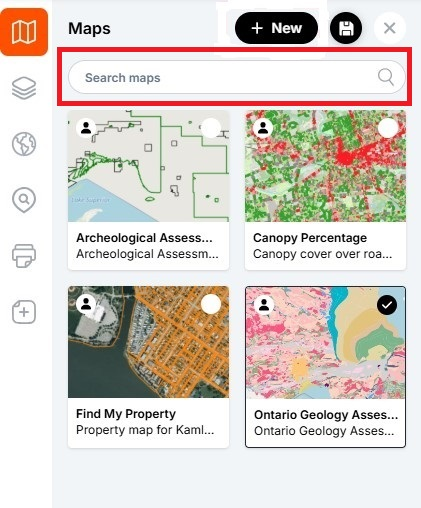
This tutorial explains how to search for maps in LunaMap, helping users quickly find maps within their workspace. If your workspace has a large number of maps, you can locate a map using the “Search maps” box on the Maps panel. This tool filters maps based on a search term.
- On the map page, expand the left navbar and open the Maps panel.
- On the Maps panel, locate the search bar with the label “Search Maps”.
- Type a keyword into the search bar that appears in the map title.
- Select the map of interest from the filtered list of maps to open it.
- To clear the filter, click the X on the search box.