
Edit Layers in LunaMap
This tutorial explains how to edit layers in LunaMap, including layer metadata, display properties, and search & zoom parameters.
1. Log into LunaMap as an Administrator. Only Administrators can access the Layer Manager page.
2. Navigate to the Layer Manager at yourdomain.com/layers.
3. In the Layer Manager, click the edit button (pencil icon) next to the layer that needs to be edited.
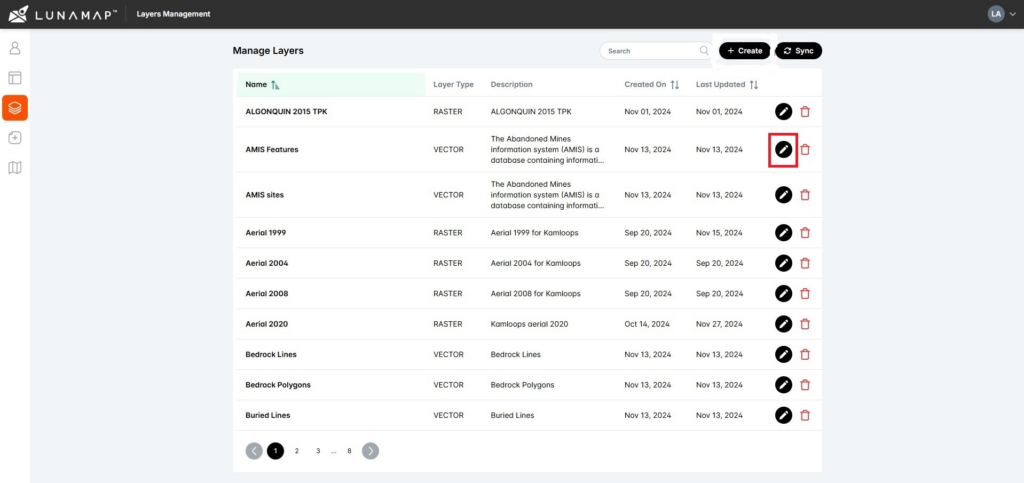
4. Make the required changes to the layer.
5. Click the Save button in the bottom right corner of the final page to complete the process of editing the layer.
How can we help?
Contact us today to schedule a free consultation with a member of our team.