
Delete Layers in LunaMap
This tutorial explains how to delete layers in LunaMap using the Layer Manager.
- Log into LunaMap as an Administrator. Only Administrators can access the Layer Manager page.
- Navigate to the Layer Manager at yourdomain.com/layers.
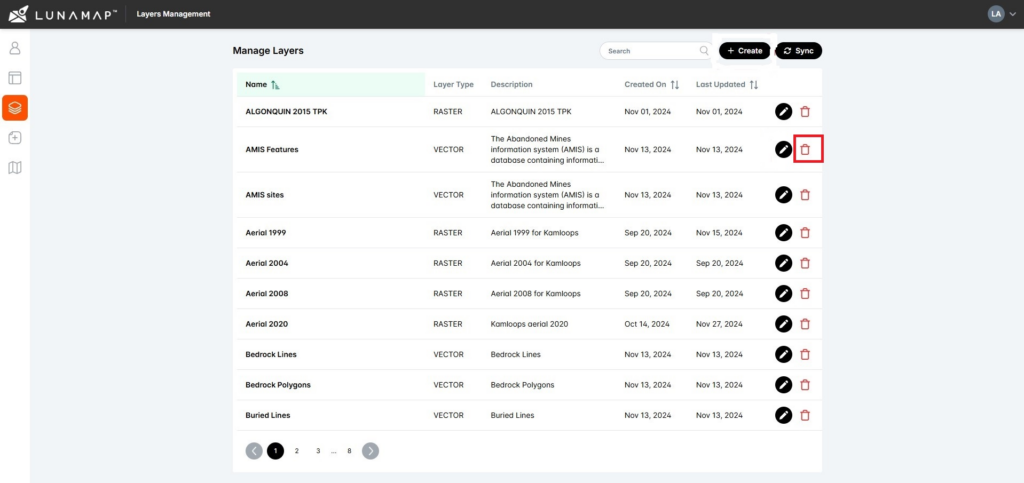
- On the Layer Management page, click the delete button (trash icon) next to the layer that needs to be deleted.
- In the confirmation dialog, confirm deletion by clicking on the Delete Layer button or click Cancel to abort the deletion.
| IMPORTANT Deleted layers cannot be undeleted. Deleting a layer will remove it from all maps in which it was added. |
How can we help?
Contact us today to schedule a free consultation with a member of our team.