
The Geoserver Data Structure
The tutorial explains the Geoserver data structure. Geoserver organizes spatial data through a hierarchy of components: workspaces, stores, layers, layer groups, and styles. Workspaces help group related data (like boundaries or imagery) and can be isolated for targeted WMS requests. Stores connect Geoserver to specific data sources—such as shapefiles, rasters, PostGIS schemas, or remote services. Each dataset served from a store is a layer, while layer groups allow multiple layers to be combined and displayed as one. Styles, defined in SLD or CSS format, control how layers are visually rendered. Together, these components structure how spatial data is published and styled in Geoserver.
Workspaces
Workspaces are a place to organize various types of related objects in Geoserver, namely layers, group layers, and styles. For example, one might store all boundary data in a single workspace called “boundaries”. A single workspace in Geoserver can be set to default and multiple workspaces can be set to isolated, meaning that they will not be visible in the global GetCapabilities requests. Workspace names can be appended to any Geoserver endpoint request. For example, if the endpoint for the WMS Get Capabilities document is:
your_ip:8080/geoserver/ows?service=wms&version=1.3.0&request=GetCapabilities
you can add the workspace name after “…geoserver/” and before “/ows?…”. For example, to see only layers in the workspace called “aerials”, one could use the following endpoint:
your_ip:8080/geoserver/aerials/ows?service=wms&version=1.3.0&request=GetCapabilities
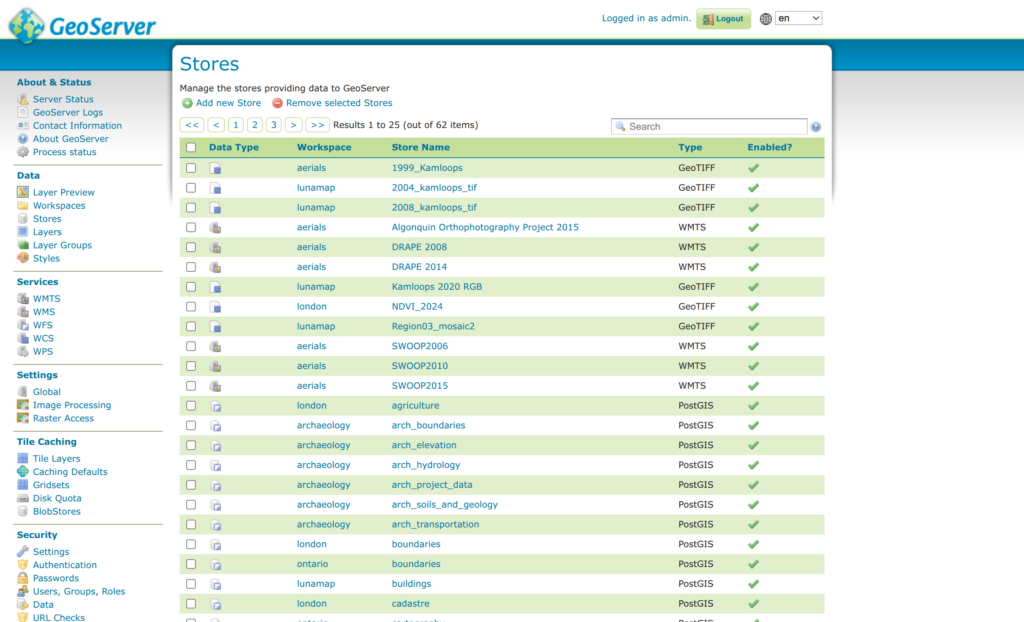
In Geoserver, a Store is a connection to a specific data source. That source can be a single raster, a directory of Shapefiles, or a connection to a specific schema on a PostGIS database. Stores can also be remote services because Geoserver can cascade remote services.

Stores
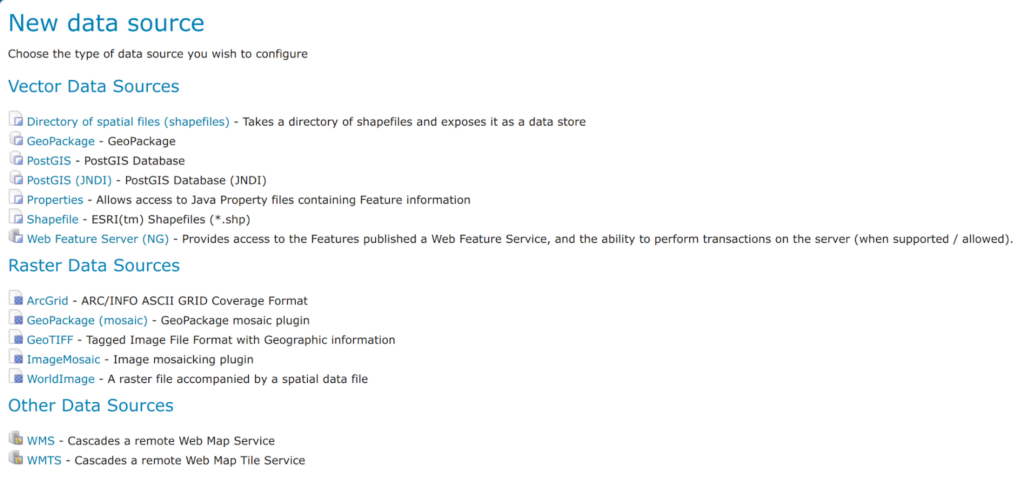
Stores are broadly categorized in Geoserver into three categories, namely “Vector Data Sources”, “Raster Data Sources”, and “Other Data Sources”. The screenshot below shows the default data Store types, but this list can be expanded by installing additional extensions.
Layers
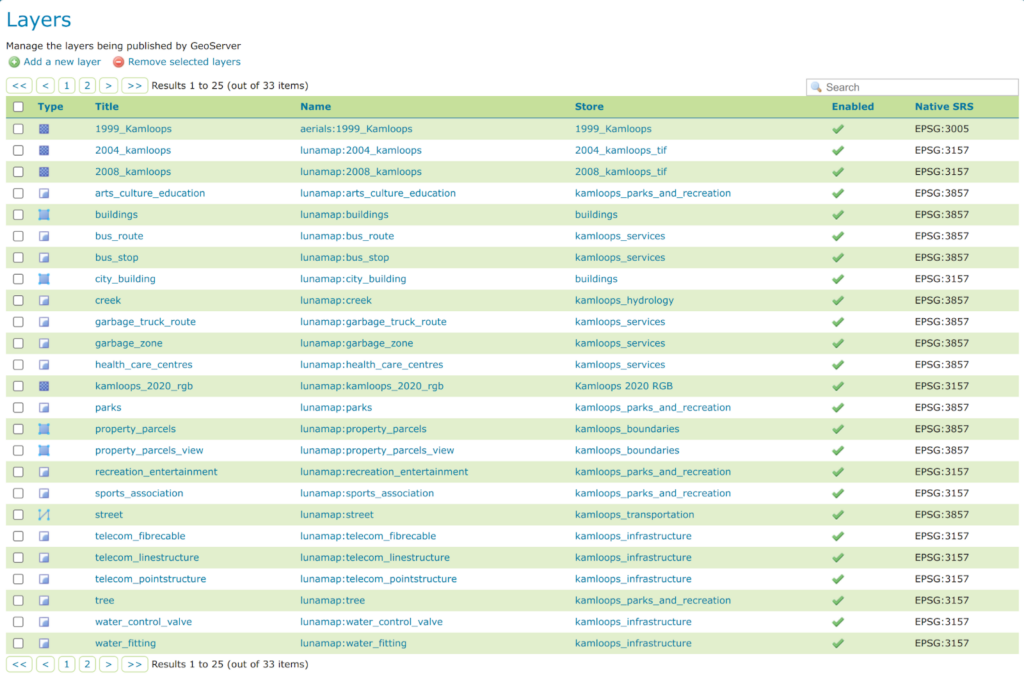
In Geoserver, a layer is any spatial dataset that is served from a store. Therefore, it can be either a raster dataset, a vector dataset, or a layer (vector or raster) served from a remote server.
Layer Groups
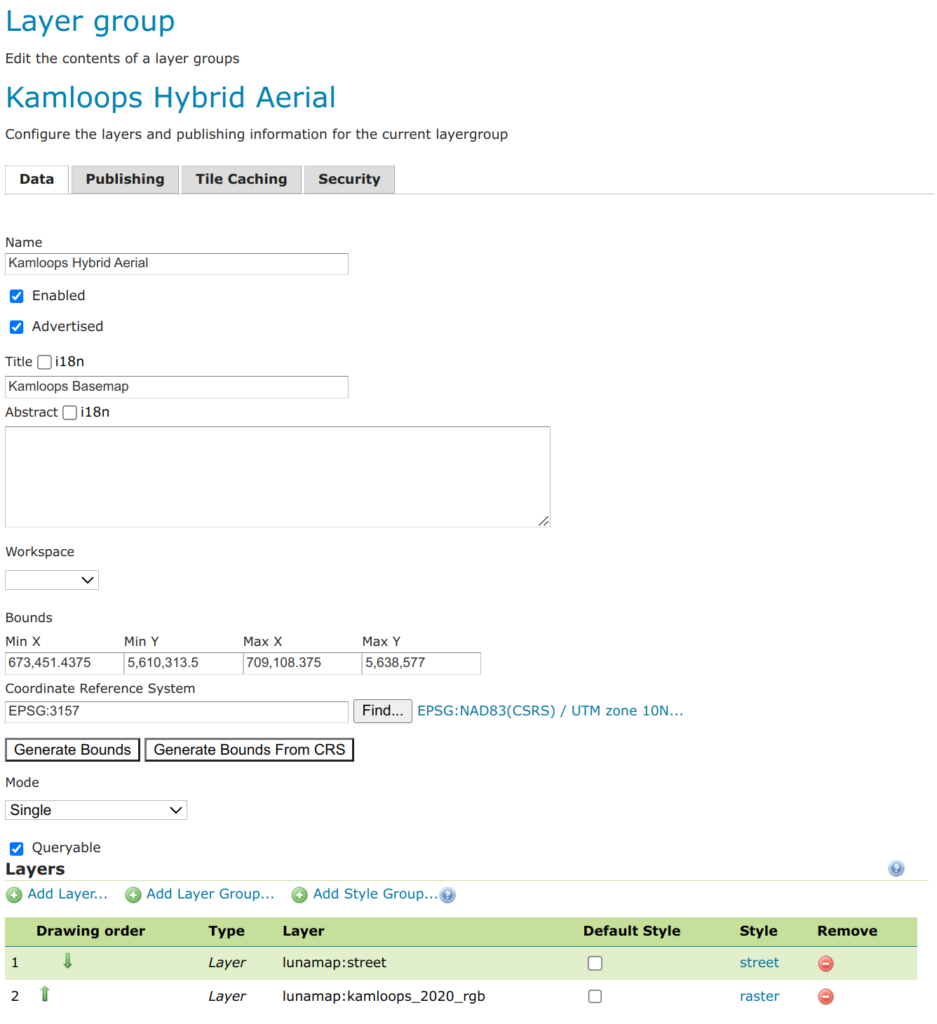
Layer groups are groups of layers served together as a single layer. For example, if one wanted to create a “hybrid aerial” layer, they could combine a street layer with an aerials and call the group layer “Kamloops Hybrid Aerial”.

Styles
In Geoserver, styles are defined centrally in a format called Styled Layer Descriptor (SLD), a standardized XML format used commonly in open source GIS. Users can create styles from scratch, copy existing styles as a starting point for a new style, or upload an SLD file that was produced in another application, such as QGIS.
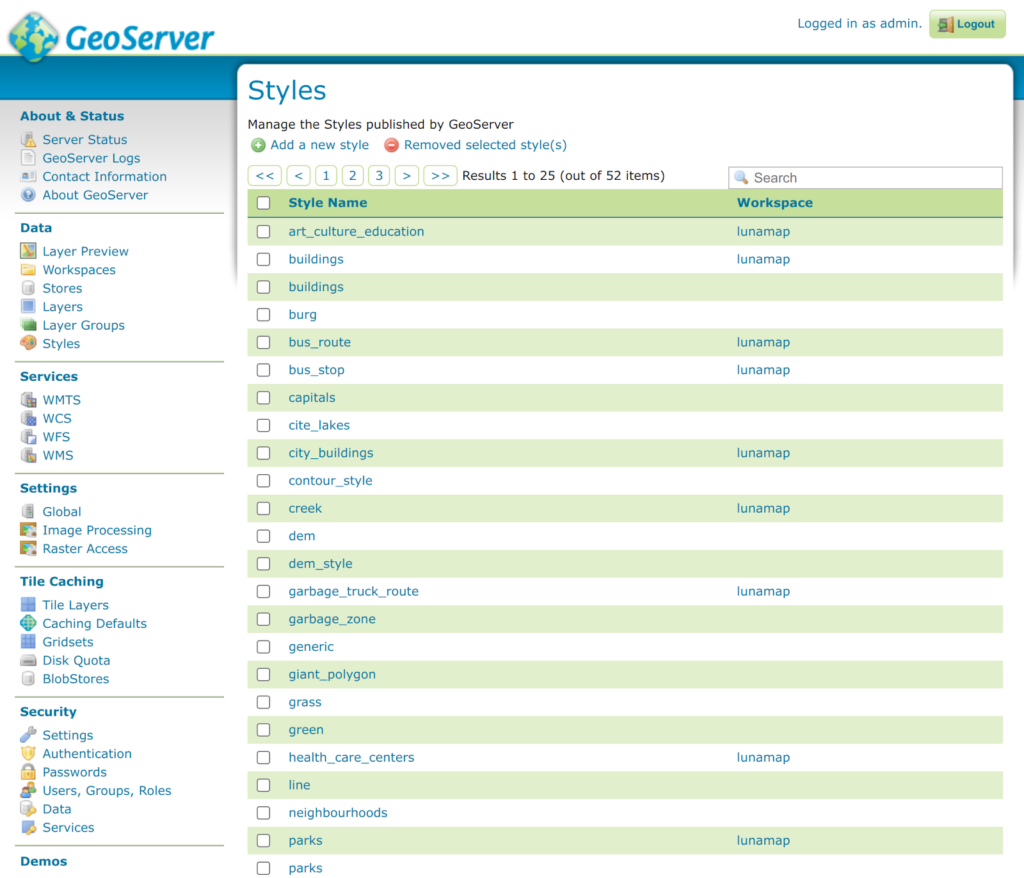
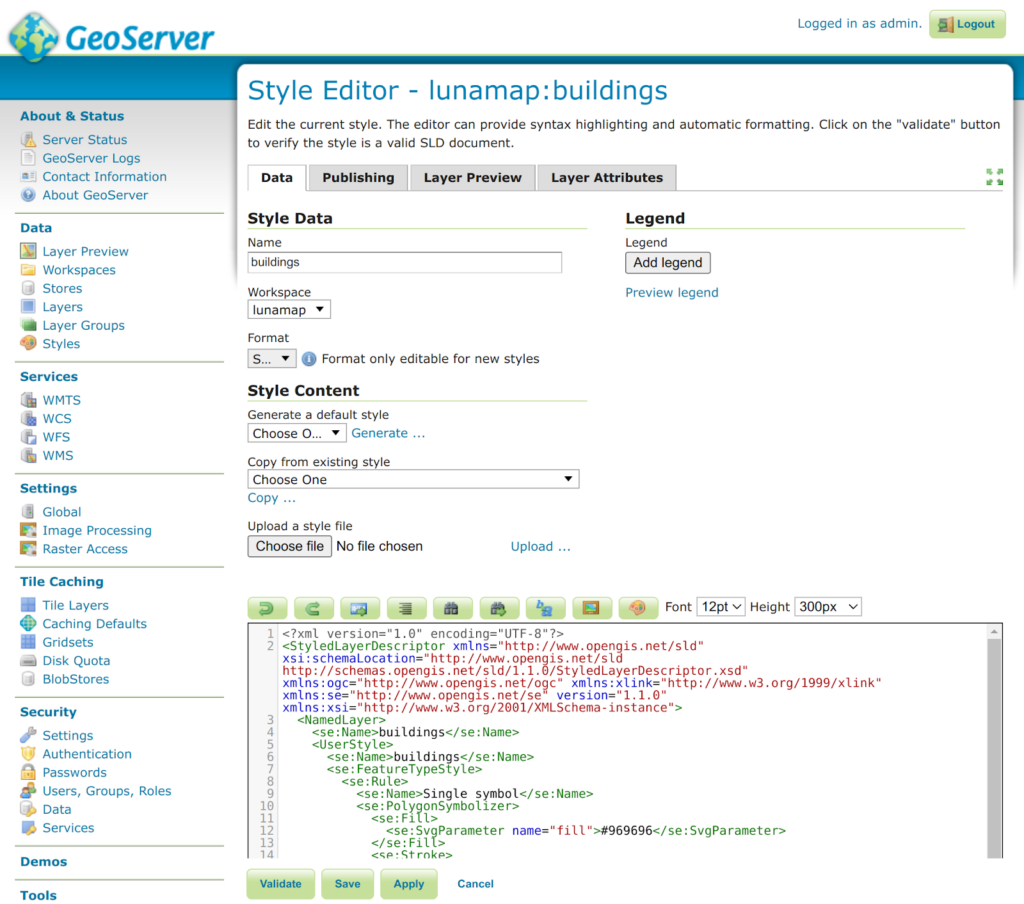
To make styling layers a little easier, there is also a CSS extension to style layers using that language. More information on this can be found in the manual here.
How can we help?
Contact us today to schedule a free consultation with a member of our team.